Showing posts with label lwip. Show all posts

Friday, December 14, 2018

ESP32 internet modem with PPPD and secure Contiki webbrowser

I have been working on a internet modem for the ESP32 that can be used with a wide variety of computers, some more retro than others. Here are some expected use cases:

  • Apple II without TCP/IP connects with a VT52 or VT100 terminal.
  • Old Macintosh with TCP/IP stack, but no ethernet card, connects with PPP.

Basically, since the ESP32 is so cheap, it is much more affordable than a dedicated Raspberry Pi + interface card. One of the big issues is connecting to the modern web with SSL and complicated web pages. Although connecting to a computer running Lynx is certainly feasible, I was looking for something more lightweight. So, here is a sample of some of the applications:

Webbrowser

AT+WEB=<URL>

Above is a screen shot of Virtual ][ (an Apple II emulator) running DCOM 3.3 (a VT100 terminal emulator) connected the esp32 contiki webbrowser. This setup can be used to connect an Apple II to the internet.


And this is the same browser running in the Mac terminal. In the lower right, you can see the Mac has a terminal window that is connected to the ESP32 and showing a https secure web page. The HTML is parsed by the Contiki webbrowser, which I modified to use the ESP32 web client that includes SSL encryption. The ANSI/VT100 colors are added by my Contiki console i/o module that detects the VT terminal type.

PPPd

AT+PPPD

For computers with TCP/IP stacks, but no ethernet card, use the PPPD command, making a serial TCP/IP connection, so all your existing internet programs will work:

Telnet

AT+CIPSTART=<IP Address>

Of course, since it uses the standard ESP32 AT commands, you can do all the normal connections to telnet-based BBSs.

Some of the code is on my GitHub page, with more to come!
Tuesday, April 24, 2018

PPP server on ESP32

I spent some time working on my Wimos Lolin ESP32 this weekend. I recently wrote up a simple how-to about the ESP32 device on my other blog. Since I am pretty familiar with lwIP and PPP based on my work on the Macintosh 128k webserver, I also previously contributed a small amount of code to enable the PPP server in the lwip network stack that the ESP32 uses. But, without an interface to access the PPP server code, it was useless. So, I decided to integrate access to the PPP server into the ESP32's standard AT command interpreter. With a small amount of code, I think I have it working! My MacBook can connect to itself using PPP now. I need to get one of my classic macs set up to further test the connection. I should get code posted in the next few days.

Update!

Source and instructions are now on github!

Tuesday, March 13, 2018

ElWhip is on GitHub

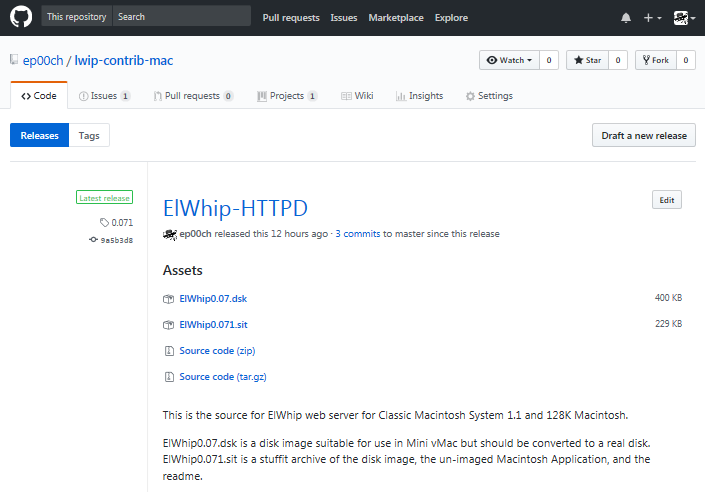
I uploaded my source code for ElWhip onto GitHub. Unfortunately, there are still some files that have Macintosh line endings, so some of the code can't really be viewed on GitHub unless you hit the "Raw" button. Hopefully it will inspire somebody to make a web browser for the original Macintosh. It will also make updates and additions to the code easier for me. Now that it is uploaded, it should make adding a log/status window quite a bit easier.

Monday, February 16, 2015

ElWhip 0.07 with New Features

I added some features to the ElWhip web server, some of which are built in to lwip, and some are completely new:
  • Dynamic File Read: The server will read the file in chunks which saves memory and allows much larger files to be in downloaded.
  • Dynamic headers: The server generates the headers now and they are not required in the HTML files. This makes it easier to add images and file downloads.
  • HEAD HTTP method support: The server responds appropriately to HEAD method requests.
  • 'Gentle Quit' in 128K: The application will report an error rather than crashing when trying to quit with 128K RAM.
See the ElWhip Download Page for more details.

Tuesday, February 3, 2015

RC 2015/01 Epilogue

A member of 68kmla.org was nice enough to test out ElWhip on a real Macintosh 128K: ...and a 512K.

First time getting a REAL Macintosh 128K on the internet. So great!

Sunday, February 1, 2015

ElWhip 0.06 Download and Video Finale

ElWhip Webserver 0.06 Download now available.

RetroChallenge 2015/01 Summary:

  • Repaired video on my Macintosh
  • Compiled and modified lwIP Web server to run on Macintosh
  • Wireless logging
  • Modified Mini vMac to run virtual serial ports on PPC Mac OS X
  • Lubricated all of my old Mac disk drives
  • First web server to run on Macintosh 512K
  • First PPP connection, TCP/IP stack, and web server to run on a (virtual) Macintosh 128K

So, a ton of work, but a success, even though it could still use a little work to clean up a few things. Thirty-one years after its introduction, the original Macintosh is finally on the web! This was a great experience and I was able to learn a little too much about the Macintosh Toolbox. This was a bigger project than I expected, and it took a lot of tweaking to get everything running in 128K. Thanks for the motivation RetroChallenge!

Loading HTML files in 128K

I spent most of yesterday trying to track down a nasty bug in the lwIP http server. Most of lwIP is very well coded, and other than the CRLF problem I had, very portable and bug-free. The lwIP http server is a bit of a hodgepodge of code though. Lucky me. Anyway, the callback to release the html file resources happens before the server has sent the TCP packet. As a result, I was free()ing memory before the server was done with it which caused corruption in the HTTP headers. I decided to just keep a file buffer up all of the time instead of malloc()ing and free()ing memory as needed. This was a constraint on the size of file that can be loaded though.

I spent the rest of the night moving more PPP code into a separate code segment that I can unload once the connection is up. It worked so well, I was shocked when I saw 9K of free RAM. This easily left me 4K of RAM to load HTML files. I can even open the menus without crashing. Unfortunately, it crashes on Quit on a 128K because it needs too much RAM to bring down the interface.

So, I will get an upload ready and get a video done in the morning!

Saturday, January 31, 2015

So close...

So I was able to finish the code to load the HTML files from disk using the original Macintosh File Manager calls. This saved quite a bit of RAM, and allowed be to get the server up. However, now it can't allocate enough memory to actually load a file. At least it logs the error gracefully, rather than crashing: PPP Phase Changed to: 8 App Limit: 91260 Free Memory: 9840 Starting Apps. App Limit: 91260 Free Memory: 2768 Error: "Unable to allocate memory for file." at line 105 in :::ports:mac:include:fsdata_custom.c

I am going to keep working on this today. Tomorrow is the Super Bowl, but I might have time to make a quick video, if I get it working.

Monday, January 26, 2015

Fancy Error Page

I worked much of the weekend trying to get the lwIP web server to load files from a disk drive. This could potentially save some memory because the files could be loaded on the fly, instead of all being loaded into memory at once. I had to enable a lot of additional code to get it working, which more than ate up the memory I hoped to save. Anyway, I reverted all of my code changes, and just fancied up the 404 error page that is compiled into the application. So, my Mini vMac virtual 128K is now running a little web server! I'll try to keep it up through the end of the month.

Saturday, January 24, 2015

Macintosh 128K 404 Error Server!

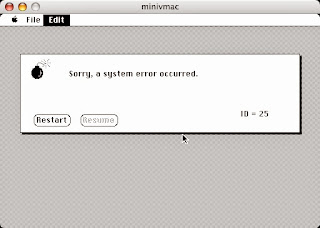
I have been spending a few hours after work slowly trying to conserve memory here and there by delineating parts of the code so that the open and close portions of PPP are in a separate code segment. My thought was I could unload that segment once PPP is up and then load in the HTTP server into the freed memory. This is not working as planned. However, I tried removing most of the HTML pages and the image imbedded in the HTTP server, to see if I was even close on memory usage. I was able to get it serving just a 404 Error HTML Page running in a virtual Mini vMac 128K Macintosh, with just 1K of memory to spare:
404 Error page from virtual Mac 128K. Note Free Memory!
 
Even opening a menu causes a crash.

Memory is so tight that even opening a menu causes it to crash with a 'Memory Full' error code. However, this gives me hope for 2 things:

  • If I load the HTML files from disk, as needed, I could probably save some memory.
  • Segmenting out some more functions could give me enough free RAM to really get this running.
I will leave it running overnight if people want to try it: virtual Mac 128k 404 Error server. I still need to do some hardware modifications to get my original Macintosh back to 128K RAM. I hope I am getting close...

Monday, January 19, 2015

ElWhip 0.05 Download

I had a major disk drive failure on my 512k. My external 800k Drive doesn't spin anymore, and my other 800k drives aren't compatible with 64k ROMs / HFS. That set my testing back a bit, as I went through and cleaned and re-lubricated all of my old disk drives.

Anyway, ElWhip 0.05 is available for download. Instructions are included.

Saturday, January 17, 2015

ElWhip Diet

I have been working on getting my ElWhip web server running in 128K, but I'm not there yet. It is crashing on a 128K Mini vMac right after it negotiates the IP addresses. So close!
The main cause is PPP, which takes up about half of the memory. I tried replacing PPP with SLIP today, but I can't get slattach (SLIP server) to work on Mac OS X 10.4, and it isn't included in newer versions of OSX. So, it's not a good solution. Click for the gory details...

Friday, January 16, 2015

ElWhip Icon

The name of my web server application, "ElWhip" (from 'lwIP'), inspired a Zorro-esqe icon:

'El Whip' would totally be my name if were a Mexican vigilante (or luchador).

It took me a while to remember that I need to set the Bundle Bit ("Has BNDL") in ResEdit for the older versions of the Finder to correctly show the icon.

Web server ran all day today!

Wednesday, January 14, 2015

Mac 512K on the Internet

I fixed a couple bugs this evening, including the netmask problem I was having. I just needed to set the ppp interface as the default interface ( netif_set_default()) and lwip routes all the packets through the ppp interface, even if its router/ppp server is outside the netmask network.

I enabled ip forwarding on Mac OS X to give public access to my Mac: sudo sysctl -w net.inet.ip.forwarding=1, and set up port forwarding on my router.

And so, here it is, on the internet for the first time: my Macintosh 512K Web Server Running System 2.0 and Finder 1.1g (http://72.220.233.84:8080). It is just using the default webpage right now - I need to set up a better one. It seems to work from my iPhone. It is 30 years behind on security updates, so please be kind to the old thing!

Leave a comment if it works for you. I'll try to get a video up this weekend with more details.

Monday, January 12, 2015

CRLF ≠ LFCR

I thought it would be an easy and quick project for last night to go back and properly fix the CRLF problem I was having. Unfortunately, it was not. I spent hours and hours testing the HTTP input string, hex-dumping, debugging, testing, and comparing strings using the lwip's built-in data compare functions. I still could not find what was going wrong. I started losing faith in the lwip code, the MPW complier, the Motorola 68000 processor, all of computer science. Was this really happening? It is getting so late, am I dreaming?

Finally, I double-checked a hex dump on the string to search for: "\r\n" and it reported: 0x0a 0x0d. At first, I thought 'that looks right', but then I noticed that it should be returning 0x0d 0x0a instead! How could it be transposing these predefined character escape sequences? A quick search on google revealed the problem: MPW transposes these two standard escape characters by default. I could't believe it. Of course, it is documented in the Apple SC/SCpp Reference for the MPW C/C++ compiler:

The compiler will by default map \n to the value 10 and \r to the value 13 to conform to the MPW environment. The -noMapCR option will turn off the mapping of the newline to carriage-return and carriage-return to newline.
If you are familiar with Macintosh line breaks (CR only), this makes sense, but if you are familiar with ANSI C code, it does not.

In the context of the lwIP web server, it was erroneously looking for 2 LFCRs, but wouldn't get them until there were 3 CRLFs: CR[LFCRLFCR]LF. Once I regained my sanity, the fix was easy:
/* #define CRLF "\r\n" */ /* WTF? I hate computers... */ #define CRLF "\x0d\x0a"

Compiler character mapping quirks, swapped characters and pulling hair out all seem to be themes in the RetroChallenge.

Saturday, January 10, 2015

Debugging Payoff

My new debugging setup, along with increasing the logging levels in lwip, quickly revealed some of the problems I am having. I managed to tackle a few of them last night.

First, I noticed my lwip ppp interface is not attempting to re-negotiate a connection. So, if it fails the first time, you have to quit the program and start again. This isn't very user-friendly, so I added a timed function to check the ppp status and, if necessary, alert the user and restart the ppp negotiation. This makes recovery from a timing problem much easier.

Next, during a failed connection to the webserver, I would get a warning like: pppos_input[0]: Dropping bad fcs 0xc540 proto=0x21
Basically, lwip was dropping ppp packets. The bad fcs was misleading and caused me some headaches. Finally, I noticed that every time this happened, about 4 lines before the packet was dropped would be a log entry: pppos_input[0]: got 63 bytes Now, lwip ppp reports got xx bytes whenever it gets data from the serial port. It is the 63 bytes that is significant, and was associated with the dropped packet. I happened to retain some information from my book, Inside Macintosh, Vol. II:

Each input driver's buffer can initially hold up to 64 characters, but your application can specify a larger buffer if necessary.
Ah! So, lwip was getting the opening part of a packet, which was cutoff by the buffer overrun, then getting another packet, ending with the checksum. The checksum wouldn't add up, so it dumped the packet (actually two packets). I think it reports 63 bytes rather than 64 bytes because the buffer is a pascal string with the first byte representing the string length(?). Fortunately, Inside Macintosh, Vol. II also provided a solution:
SerSetBuf allows you to specify a new input buffer, replacing the driver's 64-character default buffer.
So, I added a 256 byte buffer and the connection is much more reliable. It even significantly improved the rate of initial ppp negotiation.

Sunday, January 4, 2015

Uptime On Old Time Macs

Too many chores to do today, so I just let the web server run on the Macintosh SE, checking to see how stable it is. Running ping -i 60 192.168.11.130 | cat -n from the Mac OS X terminal pings every minute and lets me know how many minutes the TCP/IP stack stays up. It started losing pings around 65 minutes and eventually timed out altogether. This seemed to correspond with the After Dark screensaver on the Mac SE. I turned off the screen saver (and turned down the brightness knob), and the server ran for 174 minutes before I turned it off. There were with no dropped pings and it was still serving the web page when I stopped it.

After that, I ran the web server on the original Macintosh (still with 512K RAM), and had similar success. As far as I know, this is the first Macintosh web server with 64K ROMs or 512K RAM, ever! Certainly the first on System 2.0 and Finder 1.1g.

Saturday, January 3, 2015

Web Serving! - barely

I can serve a web page from the Macintosh SE! There was a problem where lwIP does not seem to be detecting the first CRLF (Character Return + Line Feed) required by the HTTP spec. So, when I used Telnet, I had to hit return 3 times before the HTML appeared. Web browsers will only send 2 CRLFs, then wait. I ended up deleting one of the checks for a CRLF from the code, and it worked! However, that doesn't explain why it isn't detecting the first CRLF. I think it could losing the last character of the buffer (LF) or something.

The process of dealing with this made me realize I can't keep overlooking a few problems I have seen:

  • Getting PPP to connect is too timing-sensitive and flakey
  • I can't always get the web browser to connect
  • PPP is a memory hog
  • I need to actually fix all of the "FIX ME"s I have been inserting into the code
  • I need a better logging / debugging system
Some of these problems are related. I need a good debugging system system before I can fix any of them. Enabling debugging currently causes a bunch of modal dialog boxes to appear. This causes further timing problems and does not allow logging for analysis.

Once I get some of these issues sorted out, I will test it out in 128K and make a download available.

Thursday, January 1, 2015

Macintosh Webserver Recap and Restart

lwIP is a lightweight TCP/IP stack that was designed for embedded systems with, or without an Operating System. During RetroChallenge 2014WW, I was able to get MPW 3.5 compiling programs for old Macintosh System versions, port lwIP, and get a TCP/IP stack running on my Macintosh with 512K RAM. For RetroChallenge 2014SC, I was able to update my working version of lwIP and compile the webserver before life interfered.


I woke up this morning without much of a hangover, allowing for an early start on the challenge.

I updated my local copy of the lwIP source which has now incorporated the ppp-new branch into the main branch. It is nice to see continued development on lwIP. This updated ppp code was important because it allowed for ppp without multithreading, which is necessary for the early versions of Macintosh OS. With git installed, two quick commands did the trick: /usr/local/bin/git clone git://git.savannah.nongnu.org/lwip/lwip-contrib.git /usr/local/bin/git clone git://git.sv.gnu.org/lwip.git

After copying over my additions, and converting the end of line characters to be Mac friendly, I was able to compile it with MPW again.

I fixed the error about the fsdata source file not needed for link. As it turns out, that file is included through one of the header files, and does not need to be compiled separately as a source file.

Finally, I transferred the program to my Macintosh SE for testing (thanks ZIP drive). The PPP and TCP/IP connections come up fairly reliably, but, I couldn't connect to the webpage using Safari.

I Telnetted to port 80:
PowerMac-G4:/Volumes/Mac OS 9/Maclwip151 epooch$ telnet 192.168.11.130 80 Trying 192.168.11.130... Connected to 192.168.11.130. Escape character is '^]'. GET / HTTP/1.0 404 File not found Server: lwIP/1.3.1 (http://savannah.nongnu.org/projects/lwip) Content-type: text/html <html> <head><title>lwIP - A Lightweight TCP/IP Stack</title></head> [...]
And it seems to have worked! I will have to keep testing this evening and look through the code a bit to see why it is not loading with Safari (or FireFox).

I am already further along than RetroChallenge 2014SC!

Monday, June 30, 2014

Making an lwip web server

Looks pretty easy:
http://lwip.wikia.com/wiki/Sample_Web_Server
although the nonstandard file system seems weird.

Both the lwip core and the ppp-new branch have been updated since January, so I will try to update them first. Also, I will try to use the MPW compiler flag for using Unix paths.  I had no idea this existed when I ported the code in January. Hopefully, this will make my implementation standard enough to include in the lwip contributions branch.

Also, I did some research on how I can test the web server with 128K of memory (rather than the 512K my computer was upgraded to).  It looks like I can just solder a jumper to disable one of the RAM address lines, making it 128K.